This is how I use Claude, and how I think.

The edit skills, prompts and spec files behind reels like these.

One payment, no subscription. Unofficial, not affiliated with Anthropic.

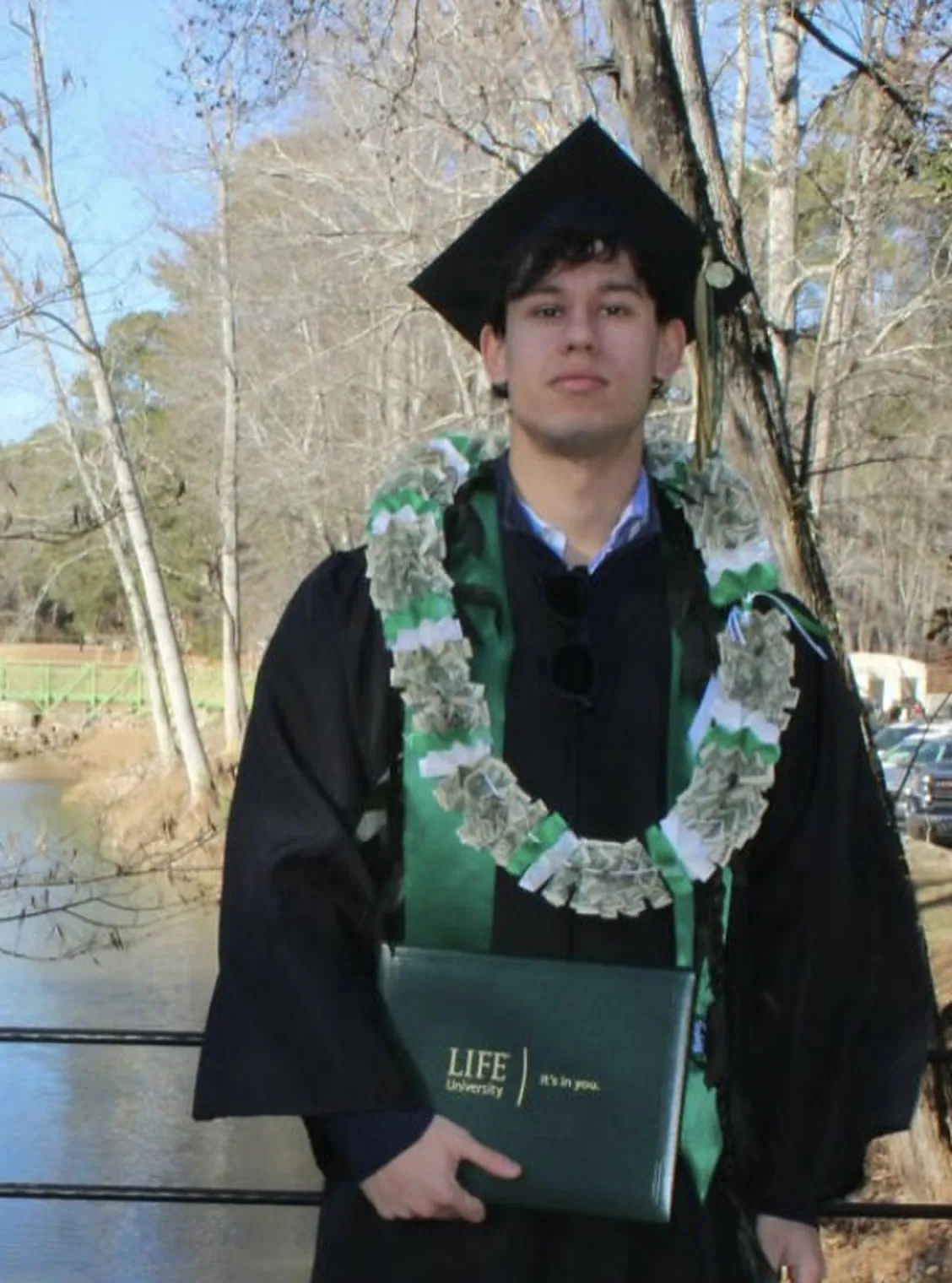
Lorenzo Peluso at his graduation, in cap and gown, holding his Life University diploma

I'm Lorenzo. Every reel here is built in code with Claude Code.My graduation, Life University, Georgia, USA.

Every video, one wall.

All of them are public and built in code with Claude Code. Hover to preview, tap to watch with sound.

35videos on this wallEvery one built in code.

Raw in. Exact edit out.

Drag the divider. Left is the raw file, right is what a skill built from it. Every pair is a real raw file and its real output.

See the skills

RawEdited

Face-Follow Edit

See the skill

Left: my phone take, only the pauses cut. Right: the same 8 seconds after the skill. Muted.

your edit, step by step

How I make one.

7 steps, always in this order. Each one writes a file the next one reads, because Claude forgets everything between chats and the files carry the decisions.

  1. ScriptYou decide what is said. Claude makes script.md.
  2. VoiceYou decide who says it. Claude makes per-line audio and word times.
  3. BeatsYou decide what appears on which word. Claude makes beats.json and a beat sheet.
  4. TasteYou decide how it looks, moves and sounds. Claude makes taste.md.
  5. BuildYou decide nothing, it assembles. Claude makes the video project.
  6. SoundYou decide the mood. Claude makes cues, bed and mix.
  7. VerifyYou decide the go. Claude makes the final mp4.

why mine don't look like the rest

Three files are the difference.

Claude does the typing. These three files are where I do the thinking, and they are why my videos don't look like every other Claude video.

taste

What this video should feel like, and what it must never look like. I write it before anything is built.

  • Inter 800 captions, one to three words
  • glass cards, one accent colour
  • enter 0.50 s, back-out 1.35
taste.mdfrom my house style file
  • canvas #F6FBFE
  • ink #0F1A2E
  • accent #2563EB
  • accent-hi #6FA0FF
  • accent-lo #1745B8

canvas, ink, and one blue with a light side and a dark side

Inter 800captions, one to three words
enter 0.50 s, back-out 1.35, from 86% scale

beats

What happens, and when. Every cut, reveal and line on screen, in order, so the build is a translation and not a guess.

  • every word has a start and an end
  • a card lands on the word that names it
beats.jsonreal, from this reel
{ "id": "D1", "who": "L",
  "start": 0.35, "end": 3.6,
  "words": [{ "w": "Claude",
    "s": 0.35, "e": 1.07 }, …] }

11 lines, 117 words. Cards, captions and sound all read these times.

sound

What you hear and when you hear it. It is planned like the picture, not sprinkled on top at the end.

  • only on something you can see
  • never one repeated sound
  • master at -14 LUFS
cues.jsonreal, from this reel
cues
61
different sounds
24
worst voice margin
9.3 LU
master
−14.1 LUFS

I render in the cloud, so my disk never fills up. And I keep a lessons file that I update after every correction, so the same mistake does not happen twice.

before it renders

Nothing renders until I say yes.

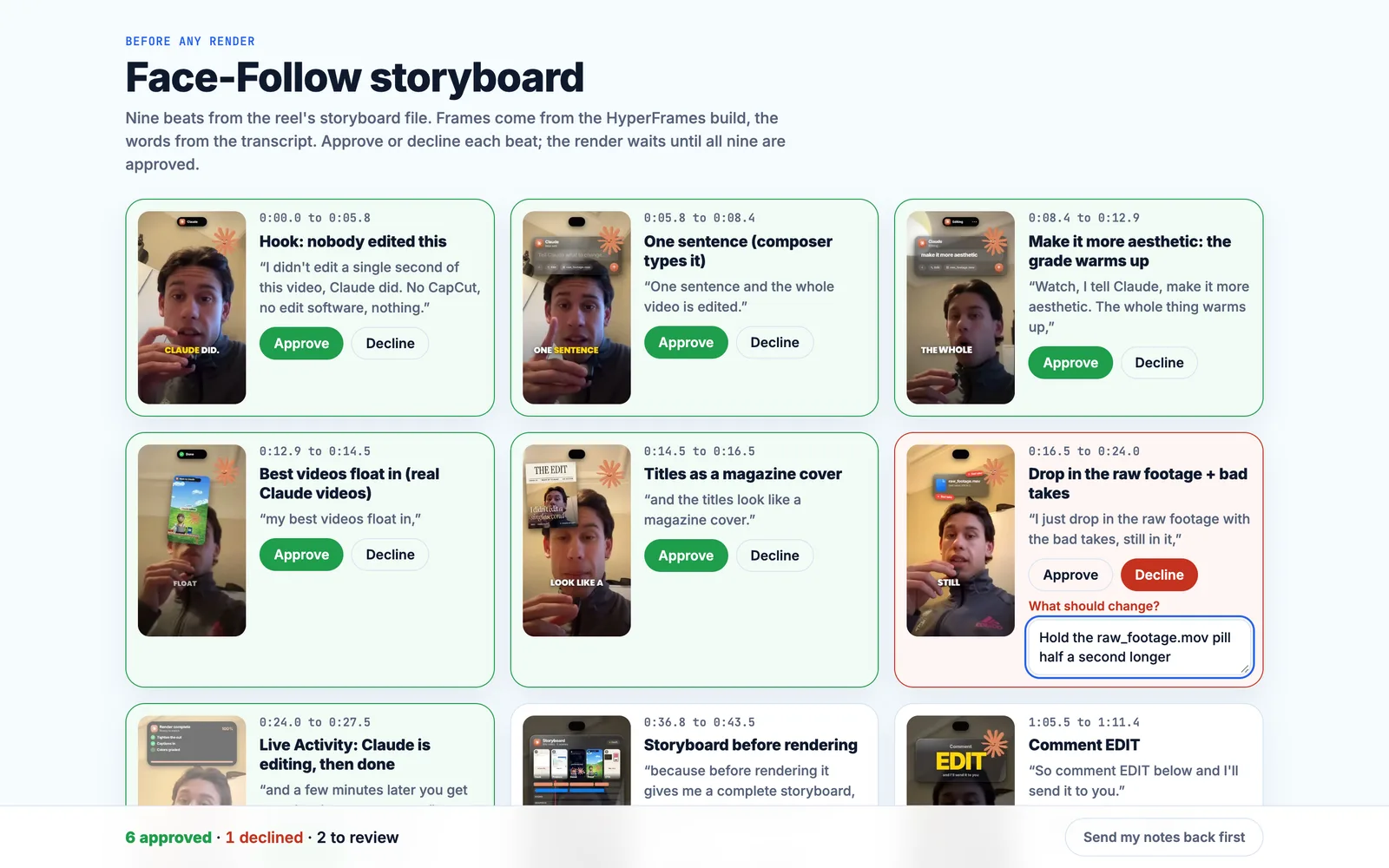
Claude opens two previews before it renders anything: the live HyperFrames studio on my laptop, and a storyboard I approve or decline beat by beat.

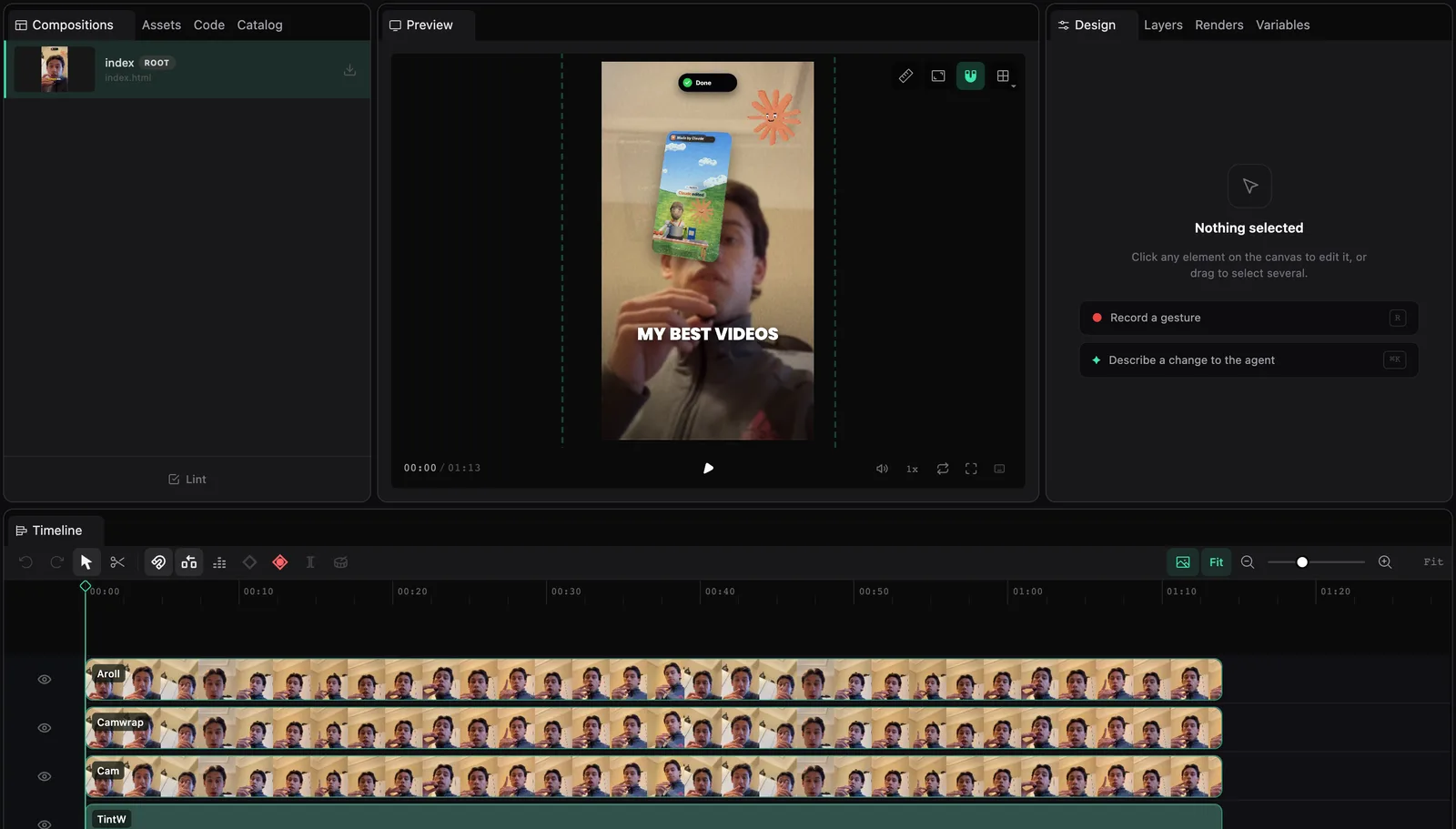
localhost:3044

HyperFrames studio running on localhost with the Face-Follow project open: the reel preview in the middle and the A-roll and camera tracks on the timeline.
Live previewHyperFrames studio, on my laptopThe real project behind the Face-Follow reel. I scrub the timeline, click any layer and ask for a change in words.

Claude artifact, private

A Claude artifact storyboard with nine beat cards of the Face-Follow reel. Six are approved, one is declined with a note, two are still to review.
StoryboardApprove or decline every beatEach beat shows its real frame and the words I say over it. A decline takes a note, and the render waits for all nine approvals.Shown mid-review: 6 approved, 1 declined, 2 to go.

before I see it

It checks its own frames.

Before I look at a build, Claude samples it four times a second and runs it through a set of gates. Gates can’t judge taste, so I still look at every sheet myself. This is one real run.

example from one of my builds
34frames checked
  • BLANKno blank frames0 blank runs
  • FACEface foundin 100% of samples
  • FACEZONEcard where it belongs0 of 34 outside the zone
  • DEADnothing sits stilllongest static stretch 0.25 s, limit 3.2 s
  • BGlight canvasin 100% of component samples
No flags8.5 s clip, 720x1280, sampled at 4 frames a second. The audio gate was not part of this run.

live, not a recording

This card is code.

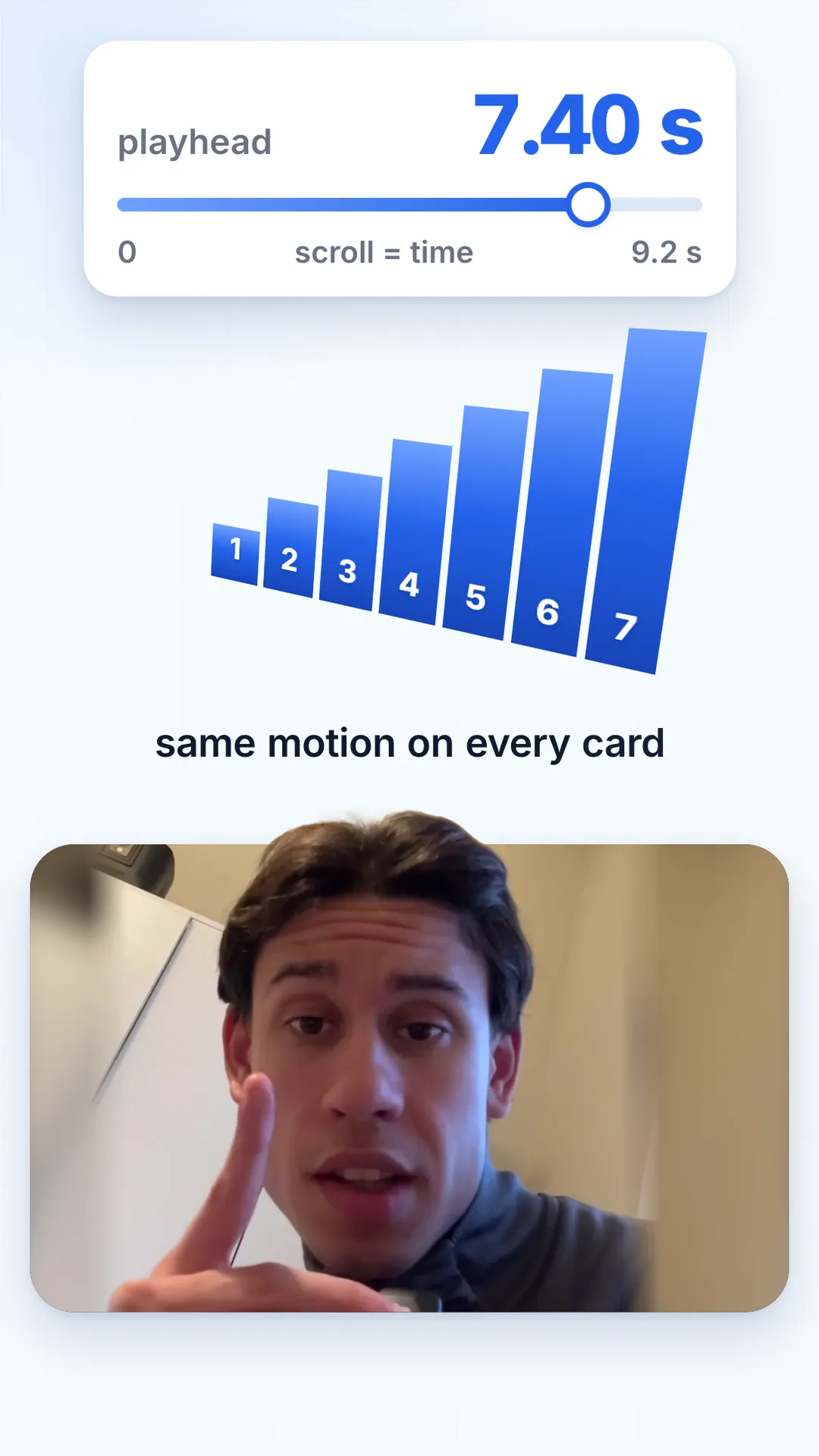
It is built with the same kit as my reels: HTML and one GSAP timeline, where every frame is a function of time. Here your scroll is the playhead. Scroll back and it rewinds.

  1. this card is codeA code card floats in and types the kit’s own enter numbers.
  2. scroll moves the playheadA readout shows the timeline time your scroll sets.
  3. 35 videos on this pageThree of my reels fan out and a counter counts to the real number of videos.
  4. same motion on every cardSeven bars build one after another, with the same motion as every card.
  5. taste beats soundThree pills turn blue, each on its own word.

$5 each, paid once

Drop in a raw video. Get the exact edit.

Most of what I sell is edit styles. A skill teaches Claude Code one look: the pacing, the captions, the sound. You hand it a raw video and name the style. It builds the edit in code, and you review what comes back.

  • Face-Follow Edit

    A camera that follows the face, big yellow captions, and cuts with no breath in them.

    The first thing you paste
    Use the face-follow-edit skill. Raw footage: ./raw/take.mov (vertical, one person talking, language: English).
    Make the BT.709 proxy and the cleaned voice, show me the phrases with their gaps and pick the cleanest complete take per beat.
    Cut it breath-tight, align the exact script, then write the plan: big captions on the payoff of each beat, flashes, b-roll
    only from ./raw/broll/ on the words that name things, and a glass call-to-action card on the last line.
    Build it, run check and snapshots, and give me a contact sheet plus the pre-render checklist. Do not render until I say go.
    $5
  • Serif Yap Edit

    Every pause cut out, one tiny serif word at a time.

    Raw in

    One raw vertical talking-head video (one person to camera), plus optional sticker clips of your own.

    Finished out

    A 1080x1920 project that renders to a tightly cut 9:16 reel with captions, titles, stickers and sound effects, mastered…

    Reference video coming. Until it lands, this is exactly what the skill takes and gives back.

    The first thing you paste
    Use the serif-yap-edit skill. Raw clip: ./raw/take.mov (vertical, one person talking to camera, language: English).
    Make the yap edit: proxy, voice chain, word timing, pick the best takes, cut every pause, then design the beats
    (titles, handwritten asides, a couple of sticker clips only if I give you clips, emoji, one banner, one callout, a comment card
    on the call to action). Build the project, run check and snapshots, show me a contact sheet and the pre-render checklist.
    Do not render until I say go.
    $5
  • Raw-to-Reel Auto Edit

    Raw talking-head footage in, finished vertical reel out.

    Raw in

    A raw vertical or phone video of someone talking, retakes and dead air included.

    Finished out

    A 1080x1920 HyperFrames project that renders to a cut, captioned reel with zooms, motion-graphic scenes and sound…

    Reference video coming. Until it lands, this is exactly what the skill takes and gives back.

    The first thing you paste
    Use the raw-to-reel skill. Raw footage: ./raw/take.mov (vertical, one person talking, language: English).
    Make the proxy and the cleaned voice, align the words, show me the phrases and pick the cleanest complete take for each beat,
    write the edit list, then design two or three full-screen motion-graphic scenes for the moments where the words name a number,
    a place or a list. Build the project, run check and snapshots, give me a contact sheet and the pre-render checklist.
    Do not render until I say go.
    $5
  • Karaoke Breakout Edit

    A word-by-word caption box and a head that breaks out of the frame.

    Raw in

    One raw vertical (9:16) clip of someone talking, or a phone filming a laptop screen.

    Finished out

    A 1080x1920 MP4 (any length you give it): silence-cut, karaoke captions, chapter graphics with a progress rail, head…

    Reference video coming. Until it lands, this is exactly what the skill takes and gives back.

    The first thing you paste
    Use the karaoke-breakout-edit skill. My raw clip is at ~/videos/my-clip/raw.mp4
    (vertical, someone talking to camera). Make a project folder at ~/videos/my-clip,
    probe the footage first and show me a contact sheet, then transcribe it with
    word timings, cut the silences and any false starts you find, and build the
    timeline. Show me the chapter plan before you build the graphics. Do not render
    until I say so.
    $5
  • Talking-Head VSL

    A long sales video from one raw take: every pause cut, real product screens built in code.

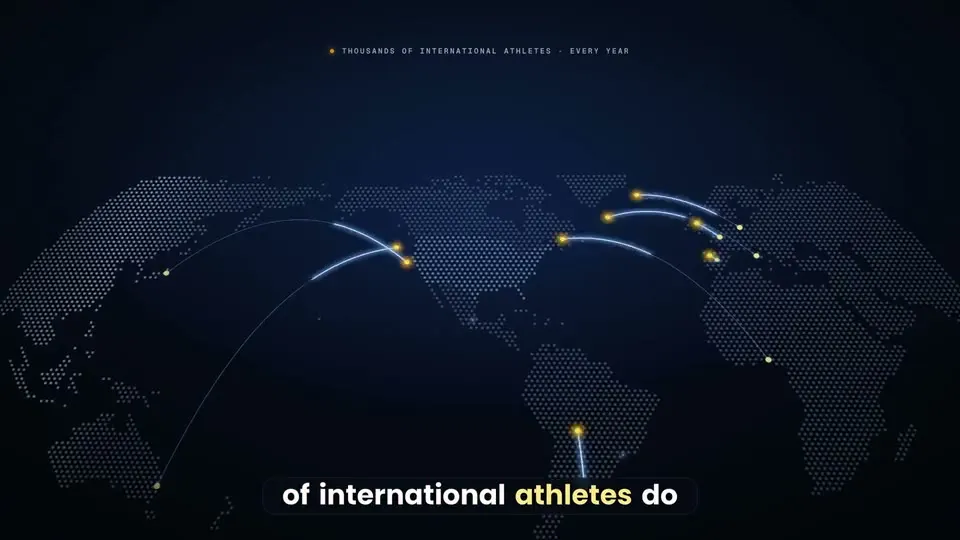
    A frame from AthlyAI VSL for international parents, made with Talking-Head VSL
    Real outputAthlyAI VSL for international parents
    The first thing you paste
    Use the vsl-skill. Raw take: /path/to/raw.MP4 (16:9, one person to camera, retakes inside). Script: ./script.txt.
    Set up the project, ingest, find the speech and the best take of every script line, and show me the takes table with every ?? row.
    Then write the selection, cut every pause, run the voice chain and the alignment, and list the low-confidence words for me to check.
    Plan the beats and the big captions from my words, fill the claims register, bake a preview plate and build the first three beats.
    Show me contact sheets and the studio preview. Do not render until I say go.
    $5
  • Carried Film

    Launch films where every beat grows out of the last, not a stack of slides.

    The first thing you paste
    Use the carried-film skill. Project folder: ~/films/[name]. My product: [one sentence, for whom]. Screenshots: [folder]. Voice: [my recording at assets/voice.wav | I have not recorded it yet]. Length: [30] seconds, format [9:16 and 16:9]. CTA: [text]. Start with the intake and the script, then give me three concepts that differ in the central picture-idea. Do not render anything until I say go.
    $5
  • UI-Card Explainer Reel

    Explain an AI tool in 30 seconds as UI cards, not a talking head.

    Raw in

    The real list of things your tool does, your presenter footage (or a labelled AI presenter), and a CTA keyword.

    Finished out

    A planned 25-35 s 9:16 reel: script with beat timings and a storyboard of UI cards. Rendering stays your call.

    Reference video coming. Until it lands, this is exactly what the skill takes and gives back.

    The first thing you paste
    Use the ui-card-explainer-reel skill. I want a 30-second reel explaining [the tool / skill / workflow]. The real things it does, one per line: [list]. My presenter: [my footage | an AI presenter I will label]. CTA keyword: [WORD]. Write the script first with the beat timings, then storyboard four UI cards and wait for my notes before building anything. Do not render anything until I say go.
    Coming soon
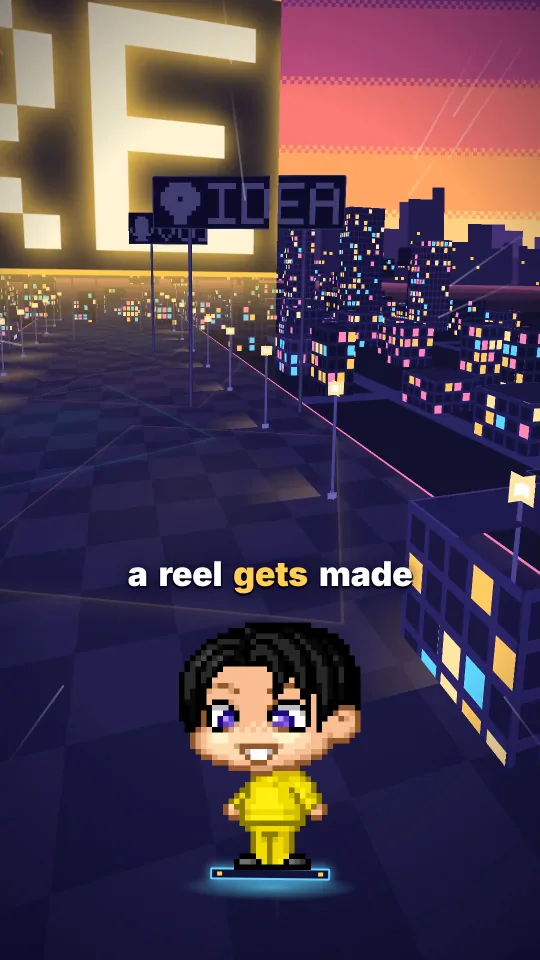
  • Pixel Avatar Reels

    A pixel avatar talks over your voice in five reel structures, built in code.

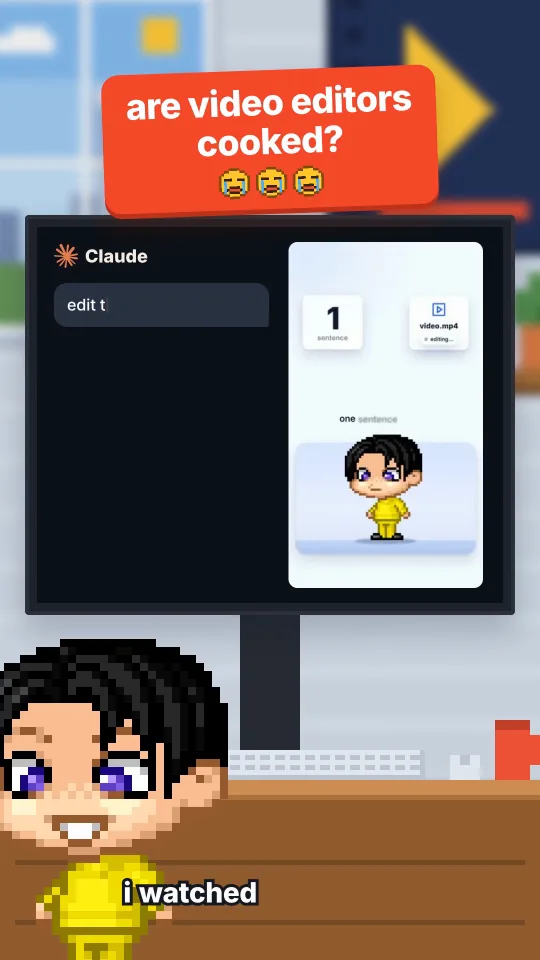
    A frame from Are video editors cooked?, made with Pixel Avatar Reels
    Real outputAre video editors cooked?
    AI-generated avatar + voice
    The first thing you paste
    Use the pixel-reel-styles skill. Style: cooked-debate. My script is in ./script.txt and my voice take is ./voice.wav
    (word times: ./words.json). Scaffold the project, re-time every anchor to my words, run the gates and show me the contact sheets.
    Do not render until I say go.
    $5
  • Light 3D Reel

    A premium talking-head reel in code: face card, head above every graphic, 3D components, checked after every edit.

    Raw in

    A script and a voice track (or a selfie A-roll for the face-card version), plus the real logos, icons and clips of the…

    Finished out

    A 1080x1920, 30 fps HyperFrames project: light canvas, face card, 3D components on your words, captions, an SFX mix at…

    Reference video coming. Until it lands, this is exactly what the skill takes and gives back.

    The first thing you paste
    Use the light-3d-reel skill. My script is ./script.txt and my voice take is ./voice.wav (word times: ./words.json).
    Write the beat sheet first: for every spoken noun, the real asset it needs. Then build the project from the example,
    run every gate and show me the contact sheets. Do not render until I say go.
    $5
  • Pixel One-Take World

    One camera that never cuts flies through a 3D world while a pixel avatar talks, with a station for every step you say.

    A frame from From idea to render in one flight, made with Pixel One-Take World
    Real outputFrom idea to render in one flight
    AI-generated avatar + voice
    The first thing you paste
    Use the one-take world skill. My script is ./script.txt and my voice take is ./voice.wav with word times in ./words.json.
    Scaffold the project, design a world for this script (start from the closest example), build it, run the gates and show me
    the contact sheets. Do not render until I say go.
    $5
  • Trial Reels Factory

    One finished reel in, 5 or 10 checked versions out, posted as Instagram Trial Reels only after you say go.

    Raw in

    One finished 1080x1920, 30 fps reel (or a folder of them), your own captions file (caption, 5 hashtags, optional first…

    Finished out

    A folder of N checked MP4 versions per reel (v00 is the untouched control) with a PASS/FAIL report, a batch plan with a…

    Reference video coming. Until it lands, this is exactly what the skill takes and gives back.

    The first thing you paste
    Use the trial-reels skill. My finished reel is ./my-first-reel.mp4 (1080x1920, 30 fps).
    Make 5 versions into ./trial/my-first-reel, run the checks and show me a side-by-side sheet.
    My captions file is ./captions.json and my Instagram username is <username>.
    Plan the schedule and show me the hash. Do not send anything until I say go for that hash.
    $5

See every skillWant all of them and the library? All Access.

one payment opens all of it

Inside All Access.

Six folders, and it keeps growing. Everything I add later is yours too. Titles below are the real ones; the pages themselves open after you join.

  • Skills

    11

    Edit styles for Claude Code, now and later.

    • Face-Follow Edit
    • Serif Yap Edit
    • Raw-to-Reel Auto Edit
    • Karaoke Breakout Edit
    • Talking-Head VSL
    • Carried Film
    • UI-Card Explainer Reel
    • Pixel Avatar Reels
    • Light 3D Reel
    • Pixel One-Take World
    • Trial Reels Factory
  • Prompts

    12

    The prompts I use, each marked Tested or Draft.

    • How to use the cookbook
    • Setup prompts
    • Taste file prompts
    • Script, voice and beats prompts
    • Caption prompts
    • Cards and UI mockup prompts
    • Transitions and carry prompts
    • Avatar prompts
    • 3D and camera prompts
    • Sound and sound-effect placement prompts
    • QA and verify prompts
    • Cloud render prompts
  • Workflows

    9

    How I go from an idea to a finished video, step by step.

    • Raw video to styled edit
    • Reference reel to spec to your own version
    • The seven-step pipeline
    • Sound that sells
    • Cloud render, so the disk never fills
    • The three files
    • Selling it
    • A carried film from screenshots
    • A series in one night
  • Lessons

    5

    Video lessons, added as I record them.

    • Lesson roadmap
    • Lesson 1: From zero to Claude Code
    • Lesson 2: Copy any edit style from an mp4
    • Lesson 3: Make videos on Sonnet without burning tokens
    • Lesson 4: Teach Claude motion and editing
  • Reference reels

    7

    Finished videos with the spec, beats and taste files behind them.

    • While I was cooking lunch
    • While I was sleeping
    • While I was scrolling
    • Did you watch it?
    • Close your laptop
    • What do I type?
    • Four looks
  • How I think

    10

    How I use Claude and how I think: the habits behind the work.

    • Do it yourself first
    • Plan first, keep it simple
    • The lessons loop
    • Verify before you say done
    • How I brief Claude
    • How I decide what to build
    • The checks I refuse to skip
    • Ask only when truly blocked
    • What I will not put in a video
    • Craft rules from my lessons file

one payment

Pay once. Keep it.

Every skill, now and later, plus the whole library. No subscription. Lifetime access, including everything I add after you join.

All Access

$49one payment

  • Every skill, the ones that exist and the ones I add later.
  • Prompts and workflows I actually use.
  • Video lessons, as I record them.
  • Reference videos with their spec files.
  • How I use Claude, and how I think.
Opening soon

The shop isn't open yet. Nothing here can charge you.

You are signed in as soon as you pay. Unofficial, not affiliated with Anthropic.

Only want one look? Pick a $5 skill.

Honest answers

What do I actually get?

A skill is a folder you drop into Claude Code. It teaches Claude one editing style. A single skill is $5 and comes with install steps.

All Access opens everything: every skill (including the ones I add later), my prompts and workflows, the video lessons, the reference videos with their spec files, and how I use Claude and how I think.

Is it a subscription?

No. You pay once and it is yours. All Access includes everything I add later, for as long as the site exists. A single skill is a one-time $5 for that skill.

What do I need to run the skills?

Claude Code, which you bring yourself. The video skills also need HyperFrames and ffmpeg. Each skill page lists exactly what it needs before you pay.

Is everything recorded already?

No, and I would rather say it than hide it. The lessons are added as I record them, so the library is smaller today than it will be. All Access covers the ones I add later.

Is this official? Is Anthropic involved?

No. This is unofficial and independent. It is not affiliated with, endorsed by or sponsored by Anthropic. I use Claude every day and I write about it; that is all.

What is not included?

A Claude subscription or Claude Code access. Music and sound effects from other people's catalogues, because I can't pass them on. And any promise about results: I can show how I make my videos, not how yours will perform.

What if it is not for me?

Digital products are awkward to refund, so I wrote the policy down in plain words. It is a draft for now: read the refund policy.

All Access$49, one payment

Get access